

If your Ford shows a P1000 code, it usually does not mean a part has failed. This code is most often seen on Ford pickup trucks, SUVs, vans, and other light-duty models, rather than on off-road heavy equipment. In many cases, it appears that after the battery has been disconnected, the codes have been cleared, or the computer has been reset.
Quick Answer
A Ford P1000 code means the OBD-II readiness monitors have not finished running yet. This often happens after battery service or after codes are erased with a scan tool. In many cases, the code will clear on its own once the vehicle completes a full drive cycle and all required monitors switch to ready.
In most cases, this code appears on Ford light-duty models such as pickup trucks, SUVs, vans, and passenger vehicles, rather than on off-road heavy equipment.
What Does the Ford P1000 Code Mean?
P1000 is a manufacturer-specific code used on Ford, Lincoln, and Mercury models equipped with OBD-II systems. It is triggered when the system has not completed all emissions-related readiness checks following a power loss, battery disconnection, or system reset.
Unlike standard fault codes, P1000 does not indicate a specific component failure. Instead, it shows that the onboard diagnostic tests are still in progress or have not been completed under the required driving conditions.
Why Does a Ford P1000 Code Appear?
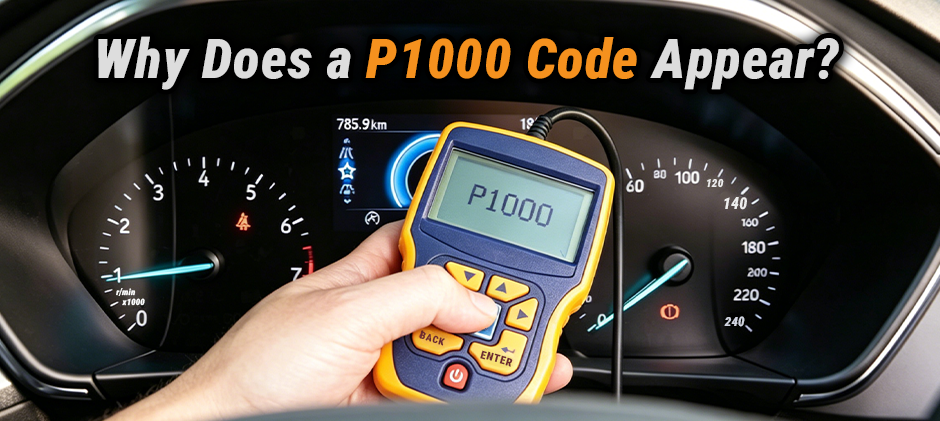
A P1000 code usually appears when the Ford system has not gone through the exact conditions required to complete its onboard checks.
| Common cause | What it usually means | What to do |
|---|---|---|
| Battery disconnected or replaced | Monitor status may have been reset | Drive the vehicle normally and recheck |
| Trouble codes were recently cleared | The self-tests have to start over | Complete a full drive cycle |
| Drive cycle is incomplete | Not enough correct driving conditions yet | Continue mixed city and highway driving |
| Another fault code is present | Some monitors may not run until that issue is fixed | Diagnose and repair the other code first |
The Battery Was Disconnected or Replaced
This is one of the most common reasons a P1000 code appears. If the battery was removed, replaced, or completely discharged, the system may lose its monitor status. The system then has to complete those checks again before the P1000 code goes away.
The Trouble Codes Were Cleared Recently
If someone used a scan tool to clear the trouble codes, the readiness monitors usually get reset at the same time. Even if the vehicle seems to run normally afterward, P1000 may remain until the readiness monitors complete their checks.
The Drive Cycle Has Not Been Completed
A vehicle will not complete all monitors just by idling in the driveway or taking one short trip. The system needs a mix of cold start, steady-speed driving, stop-and-go driving, and deceleration before all monitors can switch to ready.
Another Problem Is Blocking Monitor Completion
Sometimes, P1000 is not the main issue. If another stored or pending code is present, that fault may prevent one or more monitors from running. In that case, fixing the underlying issue matters more than trying to clear P1000 by itself.
Why Won’t the P1000 Code Clear?
The P1000 code can be frustrating because it may stay on even after repairs or after the Ford model has been driven for a while. In many cases, that does not mean a major component has failed. It usually means the system has not completed all required readiness checks.
Here are the common reasons the P1000 code will not clear:
- The readiness monitors are still incomplete
- The vehicle has only been driven on short trips
- The correct drive cycle conditions have not been met
- Another fault code is preventing the monitor from completing
- The codes were erased again, which reset the monitors
If you keep clearing the code with a scan tool, the system may keep starting over. That can make P1000 seem like it is “stuck” even when nothing major is wrong.
| Reason P1000 stays on | Explanation |
|---|---|
| Monitor not complete | The system still needs the right test conditions |
| Only short trips | Some monitors may never finish on short drives |
| Other codes present | Another problem may be blocking readiness |
| Repeated code clearing | Erasing codes resets the monitor status again |
How to Complete a Ford Drive Cycle to Clear P1000?
For many Ford models, the real fix is not replacing parts. It is completing the proper drive cycle so the system can run all required self-tests.
Basic Ford drive cycle procedure:
- Start the engine cold: Let the vehicle sit long enough for the engine to cool down before starting it.
- Idle for a short time: Allow the engine to idle for a few minutes with minimal load.
- Drive at normal city speed: Use regular stop-and-go driving instead of only idling or only highway driving.
- Maintain a steady highway speed: Drive at a steady cruising speed for several minutes when safe to do so.
- Allow gradual deceleration: Let the vehicle coast down smoothly when traffic conditions allow.
- Repeat mixed driving if needed: Some monitors may require more than one trip before they switch to ready.
Important notes
- Avoid repeatedly clearing the code during this process
- Very short trips may not give the system enough time to complete the monitors
- Some monitors only run after a cold start
- Fuel level, ambient temperature, and driving pattern can affect readiness
- If another code is stored, P1000 may not clear until that problem is fixed
How Long Does It Take for P1000 to Clear?
There is no single mileage or time rule that fits every Ford model. However, in many cases, the code may clear after several trips or after roughly 50 to 100 miles of mixed driving.
What matters most is not the exact number of miles. It is whether the readiness monitors have had the right conditions to run.
| Driving Situation | What to Expect |
|---|---|
| Mixed city and highway driving | Best chance of completing monitors |
| Only short local trips | P1000 may stay longer |
| Recent battery replacement | Monitor reset is common |
| Other trouble codes present | P1000 may remain until those are repaired |
How to Fix a Ford P1000 Code?
If a Ford P1000 code will not clear, follow these steps in order:
1. Scan for other trouble codes
Check whether P1000 is the only code present. If there are other stored or pending codes, those may be the real issue.
2. Repair any underlying problems first
If other faults exist, fix them before focusing on P1000. Depending on the root cause, the repair may involve electrical parts, engine spare parts, or routine seals, filters & maintenance parts.
3. Complete a proper drive cycle
Use mixed driving conditions and allow a full cold start cycle.
4. Recheck readiness monitors
Confirm all monitors show “ready” status. This step usually requires a scan tool or other tools and accessories that can read monitor readiness data.
5. Avoid clearing codes repeatedly
Repeated resets can restart the monitor process.
Is the Ford P1000 Code Serious?
Usually, no. A P1000 code is generally not considered a serious fault. It most often appears on Ford road-going models such as pickup trucks, SUVs, vans, and passenger vehicles, not on off-road heavy equipment. In most cases, the vehicle will drive normally with no noticeable performance issues. You may only see the check engine light on or find that the system is not ready for an emissions or inspection test. This often happens after a battery disconnection, code clearing, or system reset. It is usually safe to continue driving if P1000 is the only code present. In fact, normal driving is often required to complete the drive cycle and allow the readiness monitors to finish.
However, if the vehicle also shows symptoms such as rough idle, stalling, poor fuel economy, or other trouble codes, those issues should be diagnosed separately, as they are not caused by P1000 itself.
Final Thoughts
The Ford P1000 code usually means the onboard readiness monitors have not finished running, rather than indicating a failed part. In many cases, the code clears after a proper drive cycle and after any related trouble codes are repaired. If the diagnosis shows that another issue is preventing monitor completion, using reliable Ford aftermarket parts can help restore proper system operation and avoid unnecessary downtime. At FridayParts, we offer aftermarket parts for selected Ford repair and maintenance needs, along with replacement parts for work trucks, commercial vehicles, heavy equipment, and machinery.
