

You’ve already had a deep understanding of Bobcat error codes, yet seeing the Bobcat error codes is only the first step. Our goal is to clear them. How? In most cases, the code clears only after you fix what caused it. This guide gives you simple, practical steps to find the cause, make the right repair, and get back to work.
Why Can’t I Just Clear the Code?
You usually can’t clear an active Bobcat error code without fixing the problem first. The machine’s ECU (Engine Control Unit, or computer) keeps watching sensors and circuits all the time. If the problem is still there, the code will come back right away.
Think of it like a smoke alarm: if there’s still smoke, the alarm keeps beeping. The code disappears only when the ECU confirms the system is working normally again.
What Are the Steps to Fixing a Bobcat Error Code?
Following a clear order saves time and helps you avoid replacing parts you don’t need. Start here before you buy anything.
1. Identify the Exact Code
Write the code down exactly as it shows on the display (example: M08-10). One wrong digit can send you toward the wrong fix. Along with codes, it’s also helpful to understand the various Bobcat Warning Light Symbols & Meanings.
If you need help understanding what the code means, refer to our guide: Bobcat Fault Codes List: Meanings, Categories, and First Checks.
2. Perform a Thorough Visual Inspection
Look closely around the system the code points to. Many issues are easy to see, such as:
- Unplugged connectors
- Broken or rubbed-through wires
- Loose ground connections
- Leaking hydraulic hoses
- Physically damaged sensors
3. Check the Fundamentals
These basic checks fix a lot of code:
- Battery terminals are clean and tight.
- Battery voltage is healthy (12.6V+ when off, 13.5V-14.5V when running).
- Fluid levels are correct: engine oil, coolant, hydraulic oil, and DEF.
- Air and fuel filters are not clogged.
- Radiator and oil coolers are not packed with mud, grass, or debris.
How to Fix 3 Common Bobcat Error Code Categories
After the basic checks, focus on the system the code is reporting. Below are simple first fixes for three common groups.
1. Solving Engine System Codes (e.g., M01-10 – Low Oil Pressure)
Engine codes can be the most serious. A low oil pressure code is a Shutdown Event—the machine will shut itself down to protect the engine.
What to do:
- If the machine hasn’t already shut down, stop the engine immediately.
- Check the engine oil level and add the correct type of oil if it’s low.
- Look for obvious, major oil leaks on or under the engine.
If the oil level is normal:
- The issue could be a faulty oil pressure sensor, damaged wiring to the sensor, a clogged oil filter, or a more serious internal problem (like the oil pump).
- Checking the wiring and replacing the sensor are often the easiest first steps.
- If the code stays active after these checks, it needs a deeper diagnosis from a qualified technician.
Note: Bobcat machines use engines from various manufacturers (like Perkins, Kubota, and Doosan). When replacing engine parts, always match the exact engine model and part number.
2. Addressing Hydraulic System Codes (e.g., M04-15 – Hydraulic Filter Plugged)
A “filter plugged” code is a maintenance reminder, but it’s an important one. Dirty hydraulic oil can damage expensive pumps and motors.
What to do:
- Replace the hydraulic charge filter. Always use the correct filter for your model.
- Check the sensor wiring. A damaged wire can trick the computer into thinking the filter is clogged even if it’s new.
- Inspect the hydraulic oil: Does it look very dark or smell burnt? Is it milky or cloudy (showing possible water contamination)?
- If the oil is in poor condition, a fluid and filter change is recommended. Consult your service manual.
- After replacing the filter, run the machine and operate the hydraulics to see if the code clears.
3. Troubleshooting Electrical System Codes (e.g., M08-10 – Low Battery Voltage)
Low voltage is one of the most common causes of multiple, seemingly random error codes.
What to do:
1. Clean and tighten all primary electrical connections:
- Positive and negative battery terminals.
- Battery cable ends (both at the battery and where they connect to the starter and frame).
- The main chassis ground connection (where the negative cable bolts to the frame).
2. Check for damaged cables or loose connectors.
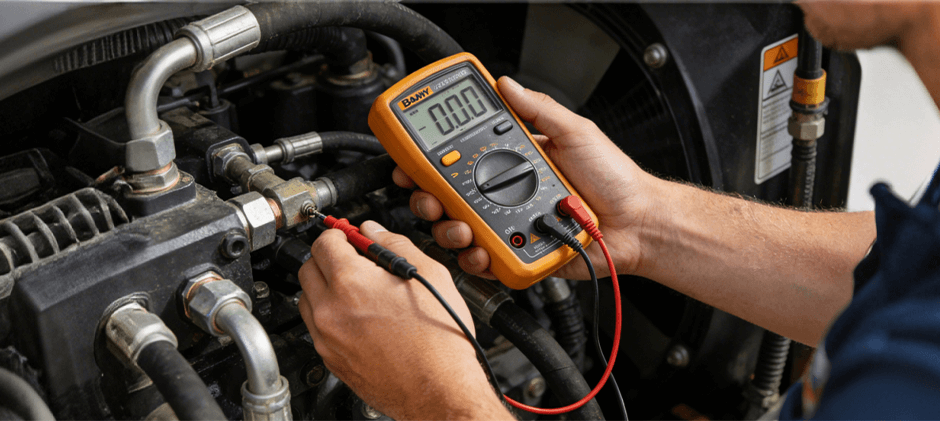
3. Test the battery. A weak battery can show 12 volts at rest but fail under the load of starting. Most auto parts stores can test it for you.
4. If the battery is good, check the charging system. With the engine running, you should see 13.5–14.5 volts at the battery. If the voltage stays low, the alternator, wiring, or drive belt may be the cause.
How Does the Code Clear After a Repair?
In most cases, the active code clears automatically once the problem is fixed. After you restart the machine or run it for a short time, the ECU will see that the sensor readings or electrical values are back to normal, and the code on the display will disappear.
You may need to cycle the key: Turn the machine off, wait 60 seconds, and turn it back on to allow the ECU to reset.
Two helpful things to know:
- Some codes become inactive but are stored in the ECU’s memory as historic codes.
- Stored codes help with future troubleshooting but do not trigger a warning light or affect machine operation.
If the same code comes back right after a repair, the problem was likely not fully fixed, or there is a secondary issue (like hidden wiring damage).
Conclusion
To sum up, clearing a Bobcat error code is simple: fix the root cause, and the code goes away. Always record the exact code, do a careful visual check, start with the basics, and then repair the system the code points to step by step. Whatever you need, quality Bobcat replacement parts for fluids, filters, battery, grounds, and more, FridayParts has you covered.
When you’re unsure what a code means, refer back to the Bobcat Error Codes List.
